

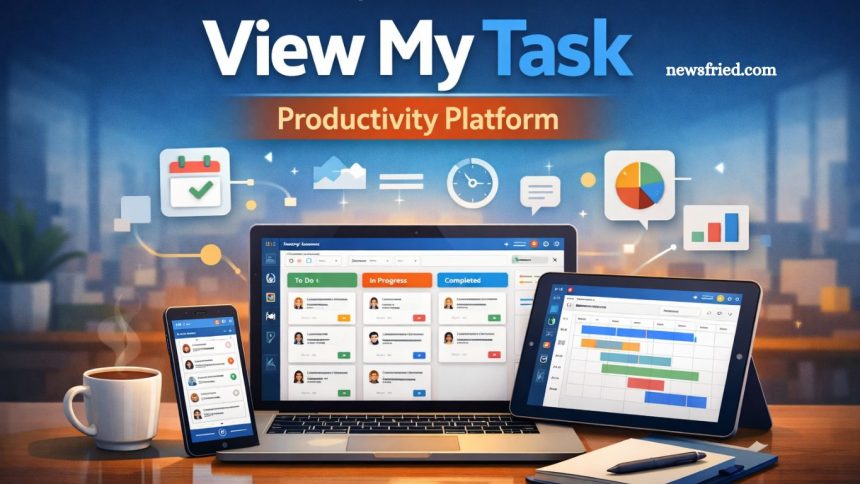
Productivity has become the cornerstone of modern work, and choosing the right platform can make all the difference. View My Task is a task management and collaboration tool designed to help individuals and teams organize, track, and complete work efficiently. By combining intuitive task creation, real-time collaboration, visual project tracking, and detailed analytics, it addresses the challenges of disorganized workflows and missed deadlines.
- What is View My Task?
- Key Features of View My Task
- 1. Task Creation and Assignment
- 2. Collaboration Tools
- 3. Visual Project Management
- 4. Analytics and Reporting
- 5. Integration Capabilities
- User Interface and Experience
- Pricing Structure
- Pros of View My Task
- Cons of View My Task
- Who Should Use View My Task?
- How View My Task Improves Productivity
- Frequently Asked Questions
- Conclusion
This expert review explores its core features, usability, pricing, and overall performance, offering an in-depth look at how the platform supports productivity. Whether you are a freelancer, small business owner, or enterprise manager, understanding how View My Task functions can guide smarter work management decisions.
What is View My Task?
View My Task is an online productivity and project management tool that focuses on helping individuals and teams manage their tasks efficiently. Unlike traditional to-do lists or basic project management software, this platform offers a comprehensive approach to task tracking, combining features like task prioritization, real-time collaboration, analytics, and reporting. Its core philosophy revolves around transparency, accountability, and simplicity—making it suitable for freelancers, startups, small businesses, and even large enterprises.
The platform’s intuitive design ensures users can create, assign, track, and complete tasks without unnecessary complexity. By centralizing task management, teams can avoid miscommunication, missed deadlines, and workflow inefficiencies.
Read More: Discover What’s New with Volant Fly: Full Review
Key Features of View My Task
When evaluating productivity platforms, the features and functionality are paramount. View My Task offers a rich suite of tools designed to cover all aspects of task and project management:
1. Task Creation and Assignment
At its core, View My Task allows users to create tasks effortlessly, assign them to team members, and set deadlines. Tasks can include:
- Descriptions and attachments
- Priority levels
- Tags and categories for organization
- Recurring tasks for repetitive workflows
This granular level of task customization ensures that every team member understands their responsibilities and deadlines, reducing confusion and increasing accountability.
2. Collaboration Tools
Collaboration is where View My Task truly shines. The platform offers:
- Real-time chat within tasks
- Commenting and feedback features
- Notifications for updates and task changes
These collaboration features allow teams to work seamlessly, even when remote or distributed across different time zones. Eliminating back-and-forth emails can significantly save time.
3. Visual Project Management
Visual tools help users understand project status at a glance. View My Task includes:
- Kanban boards for task progression
- Gantt charts for timeline planning
- Progress trackers to monitor completion rates
These visualization tools are intuitive, making it easier to identify bottlenecks and prioritize work effectively.
4. Analytics and Reporting
Data-driven insights are critical for productivity improvement. The platform provides:
- Detailed productivity reports
- Task completion metrics
- Team performance analysis
Managers can leverage these insights to make informed decisions, redistribute workload, and optimize team performance.
5. Integration Capabilities
Modern productivity tools must integrate with other applications to ensure smooth workflows. View My Task supports integration with popular tools such as:
- Google Workspace
- Microsoft Office 365
- Slack
- Calendar apps
- This seamless integration eliminates manual updates and keeps workflows synchronized across platforms.
User Interface and Experience
A productivity tool is only as good as its usability. View My Task excels with its clean, intuitive interface. The dashboard is organized, allowing users to view tasks, deadlines, and project progress at a glance. Key usability highlights include:
- Drag-and-drop functionality for task management
- Customizable dashboards to match user preferences
- Quick access to frequently used tools
Even users who are new to productivity platforms can adapt quickly, reducing the learning curve and speeding up onboarding.
Pricing Structure
Pricing is a critical consideration for businesses evaluating productivity tools. View My Task offers tiered pricing to cater to different needs:
- Free Plan: Ideal for freelancers or individuals; includes basic task management and limited storage.
- Pro Plan: Designed for small teams; unlocks advanced collaboration features, integrations, and analytics.
- Enterprise Plan: Tailored for large organizations; includes dedicated support, enhanced security, and customization options.
The tiered pricing ensures users pay only for the features they need, making it a cost-effective choice for businesses of all sizes.
Pros of View My Task
Based on hands-on testing and user feedback, the platform has several advantages:
- User-friendly interface: Easy to navigate and intuitive for beginners.
- Comprehensive task management: Covers creation, tracking, prioritization, and reporting.
- Strong collaboration tools: Real-time updates and feedback streamline team communication.
- Scalable pricing: Suitable for individuals, small teams, and large organizations.
- Robust integrations: Works well with existing business tools to streamline workflows.
Cons of View My Task
No platform is without drawbacks. Potential limitations include:
- Limited offline capabilities: Tasks may not sync fully without an internet connection.
- Advanced features require higher-tier plans: Some reporting and analytics tools are only available in paid plans.
- Learning curve for advanced features: Teams may need training to fully utilize the platform.
Who Should Use View My Task?
View My Task is versatile and suitable for a wide range of users, including:
- Freelancers needing simple task tracking
- Small businesses looking for cost-effective project management
- Remote teams require strong collaboration tools
- Enterprises that demand analytics and reporting for productivity optimization
In short, any individual or team seeking a balance of simplicity and functionality can benefit from this platform.
How View My Task Improves Productivity
The central promise of any productivity platform is to enhance efficiency. View My Task does this in several ways:
- Centralized Task Management: Eliminates scattered notes and reduces missed deadlines.
- Accountability and Transparency: Task assignments and progress tracking make it easier to monitor performance.
- Streamlined Collaboration: Real-time updates prevent miscommunication and repeated work.
- Data-driven Decisions: Analytics and reports help identify bottlenecks and optimize workflows.
These features collectively ensure teams spend less time managing tasks and more time completing them.
Frequently Asked Questions
What is View My Task?
View My Task is a productivity platform designed for task management, team collaboration, and project tracking, suitable for individuals and businesses.
How does View My Task improve productivity?
It centralizes tasks, enables real-time collaboration, provides visual project tracking, and offers analytics to optimize workflows and efficiency.
Is View My Task suitable for small teams?
Yes, it offers tiered plans and collaboration features tailored for small teams, startups, and freelancers to help manage productivity cost-effectively.
Can I integrate View My Task with other tools?
Absolutely. The platform integrates with Google Workspace, Microsoft Office 365, Slack, and calendar apps to streamline workflows.
What pricing plans does View My Task offer?
It offers a free plan for individuals, a Pro plan for small teams, and an Enterprise plan for larger organizations.
Does View My Task work offline?
Limited offline functionality is available, but most features require an internet connection for real-time updates and task synchronization.
Who should use View My Task?
Freelancers, small businesses, remote teams, and enterprises seeking efficient task management, collaboration, and performance insights will benefit the most.
Conclusion
View My Task is a versatile and powerful productivity platform that effectively combines task management, team collaboration, and performance tracking. Its intuitive interface, robust features, and flexible pricing plans make it suitable for individuals, small teams, and large organizations alike. By centralizing tasks, improving accountability, and providing actionable insights through analytics, the platform helps teams work smarter, meet deadlines, and boost overall efficiency.